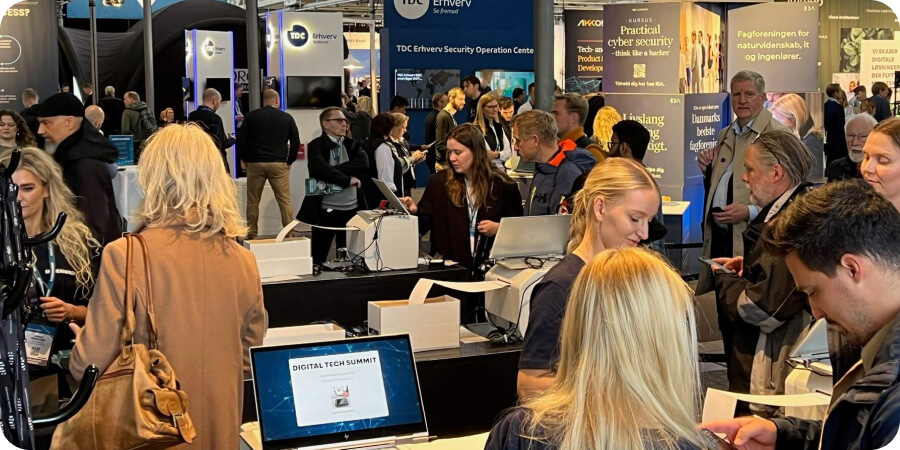



Speed up event registration on a shoestring: 6 simple changes that cost almost nothing
When an event has a busy registration period, the obvious solution is often to add more registration desks, more printers and more staff. Sometimes that is necessary. But before adding more equipment, it is worth looking at how efficiently the equipment you already have is actually being used. A registration station might only take 15 or 20 seconds to scan someone in and print their badge. But if it then sits unused for another 15 seconds while the next attendee gets their phone out, searches through their emails or works out which desk to approach, you have effectively halved its potential output. There are some very simple things you can do to avoid that. 1. Have someone managing the queue For the busiest part of registration, have somebody actively managing the queue rather than leaving attendees to work everything out themselves. This does not necessarily mean employing another person specifically for registration. There may already be someone onsite who is needed elsewhere later in the day but who can help for the first hour while registration is at its busiest. The session caller. The ‘voice of god’. Even someone from catering. Their job can be very simple: Ask attendees to have their QR code ready before reaching the desk Help people find their registration email if they cannot find it Direct people towards the next available registration station Identify anyone who has a problem before they reach the front of the queue Answer simple questions without holding up a registration desk Hand them their lanyard, ready to attach to their badge. This can make a surprisingly big difference. If every attendee who reaches a scanner is ready to be scanned immediately, the registration station spends a lot more of its time actually registering people. That means each station can process more people per hour. And if each station has a higher throughput, you may find you need fewer stations in the first place. 2. Make it obvious which desks are available The layout of the registration area matters almost as much as the technology being used. If you have several registration desks but attendees cannot easily see which ones are free, you can end up with one desk sitting empty while people continue to queue for another one. A Post Office-style single queue works very well for this. Instead of attendees choosing a queue when they arrive, everyone joins one main queue. The person at the front then goes to whichever desk becomes available next. It has two advantages. Firstly, you make better use of all the registration stations. As soon as one becomes available, the next attendee can use it. Secondly, the queue feels fairer. Nobody has the frustration of choosing the “wrong” queue and watching people who arrived after them get served first. If the space does not suit one large queue, you can achieve something similar by making the available desks very easy to see and having a queue manager directing people towards them. The important thing is to avoid registration stations sitting unused simply because nobody has noticed they are available. 3. Put signage where people can actually see it Registration signage often looks perfectly clear when the registration area is empty. Then 200 people arrive and stand in front of it. A sign sitting on a desk, attached to the front of a registration counter or positioned at waist height quickly becomes invisible because there are people standing right there. Where possible, important registration signage should be above head height. That could include: Registration Pre-registered attendees Speakers Exhibitors VIPs Onsite registration Help desk Badge collection Cloakroom Attendees should ideally be able to look across the registration area as they approach and immediately understand where they need to go. Good signage reduces the number of people who join the wrong queue, reach the front, discover they are in the wrong place and then have to be redirected. It also reduces the number of basic directional questions your registration staff have to answer. How many times have you had a visitor ask, ‘Is there somewhere I can stash my bag?’ at the registration desk? That person’s preventing the next person from being registered. Get your signage right, and you reduce the questions and speed up the queue. 4. Keep problems out of the main registration flow Most attendees are straightforward. They have registered, their details are correct, and their badge can be printed in seconds. A much smaller number will have a problem. Perhaps they cannot find their registration, their company name needs changing, they have registered twice, or they have arrived without registering at all. Try not to deal with those exceptions at the same desk that is processing everyone else. If resolving one attendee’s problem takes three minutes, the printer and scanner at that desk could potentially have processed ten other people during that time. Instead, have a separate help or enquiries desk where more complicated cases can be sent. Put the people who know the event well and can perform tasks like approving delegates to be added on to that desk. Your main registration stations can then concentrate on the quick transactions they were designed for. Depending on the size of the event, the queue manager may be able to identify and deal with some of these cases before they reach the front. 5. Remove anything that does not need to happen at registration The quickest registration process is normally the simplest one. If an attendee has already supplied their name, company, job title and email address when they registered online, think carefully before asking them to confirm all of it again when they arrive. Every additional question or action adds time. Ten seconds may not sound important, but with 1,000 attendees, it represents nearly three hours of additional processing time spread across your registration desks. Ideally, the standard attendee journey should be something like this: Arrive → present QR code → scan → print badge → enter event. Anything that does not